 Distance Interval
Train through the finish line.
Set a distance, run it, rest, repeat. Interval training for iPhone and Apple Watch, with a coach that calls “Run!” and “Rest!” over your music.
Download on theApp Store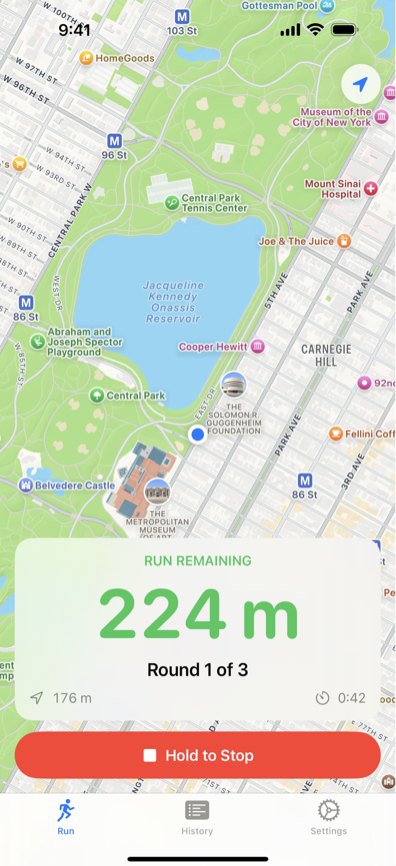
Three lanes to a better finish
Most runners fade in the last 50 metres. Intervals at race distance teach you to hold your pace all the way through the line.
-
Set your session
Pick a run distance or a run time, a rest, and how many rounds. Train for 100 m, 200 m, 400 m or more.
Run 400 mRest 200 m× 3 rounds -
Run on the cue
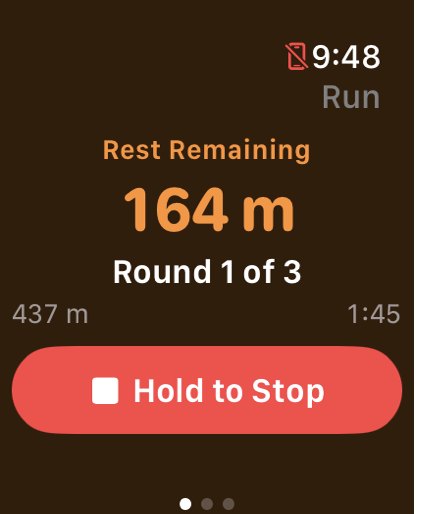
Your coach calls “Run!” and “Rest!” as each segment starts. The screen counts down what is left, so you know exactly how far to the line.
-
Read your splits
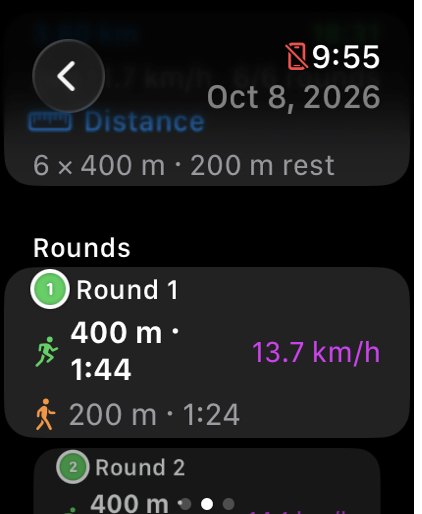
Every session is saved with its distance, time, pace and speed, round by round, with your fastest round highlighted.
Everything you need between the lines
See exactly how far is left
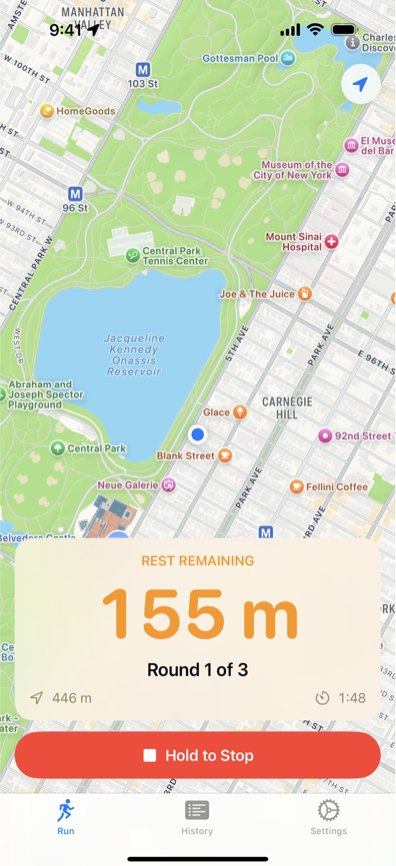
A big, glanceable number counts down the distance or time left in each run and rest. Green means run. Orange means rest.
Hold to Stop on both iPhone and Apple Watch, so a bumped screen never ends your workout early.
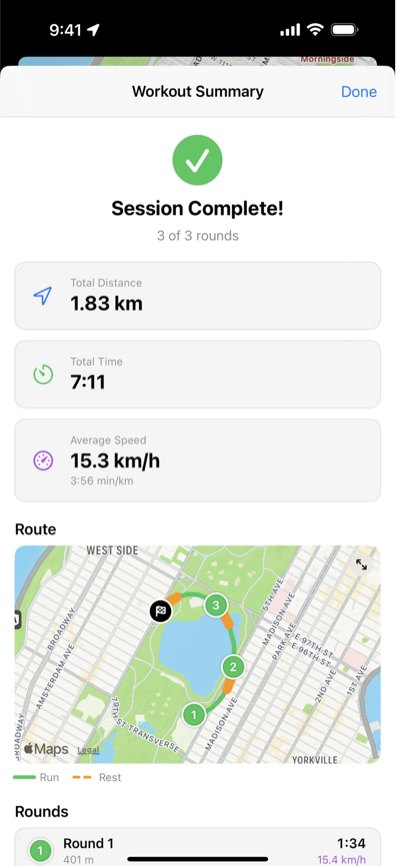
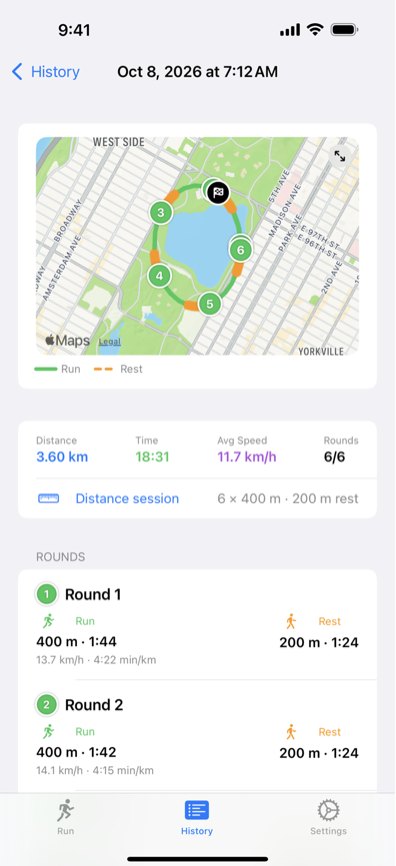
Every round, on the map
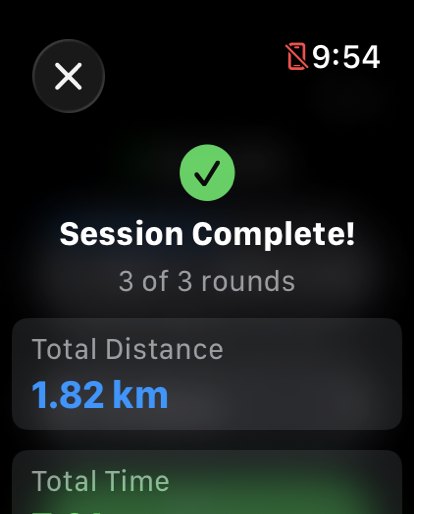
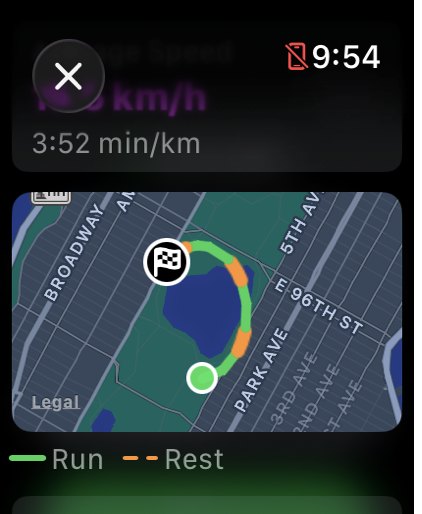
When you finish, you get a summary with your totals, your rounds and a GPS map of the route. The line is coloured by run and rest, with a marker where each round began.
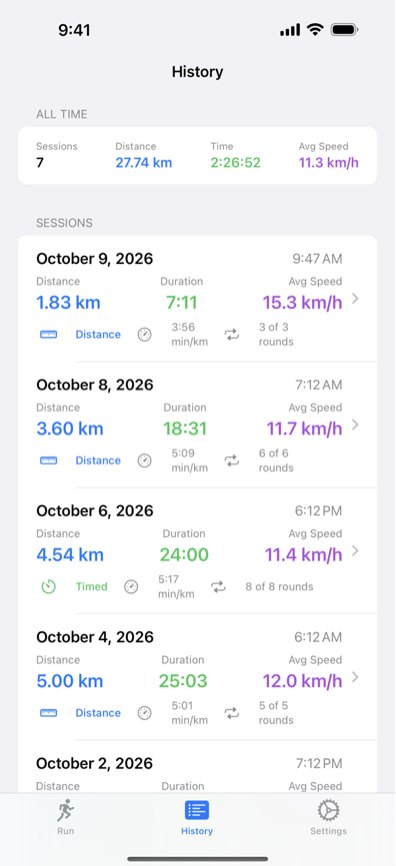
Watch yourself get faster
Every session is saved with its distance, time, pace, average speed and calories. All-time totals sit at the top, so you can compare today with last week.
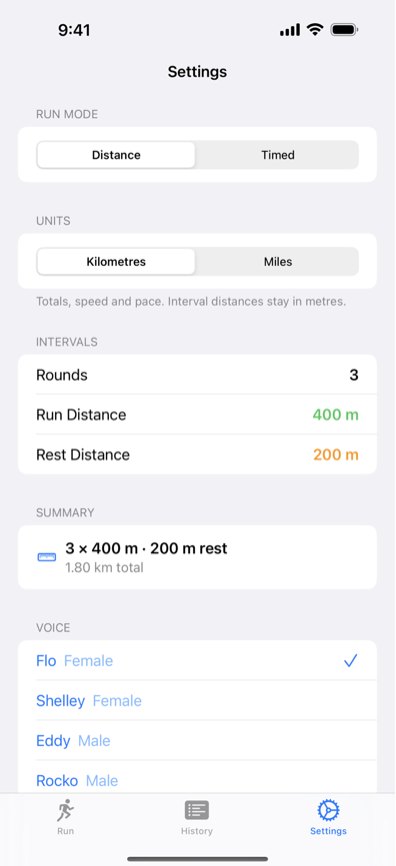
Your session, your coach
- Distance or Timed intervals.
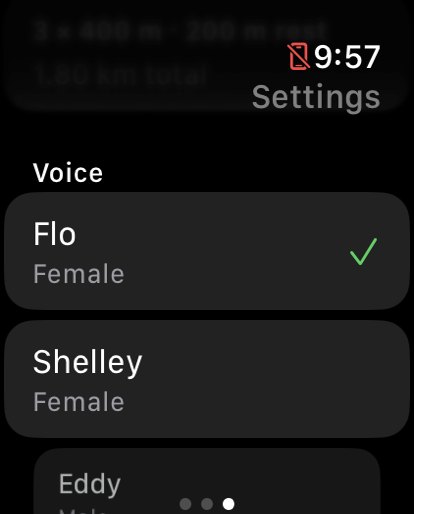
- Pick Flo, Shelley, Eddy or Rocko to call your cues. Tap a voice to hear it.
- Totals, speed and pace in kilometres or miles. Interval distances stay in metres, like on a track.
- Quick wheel pickers for rounds, distances and times.
Leave the phone in the locker
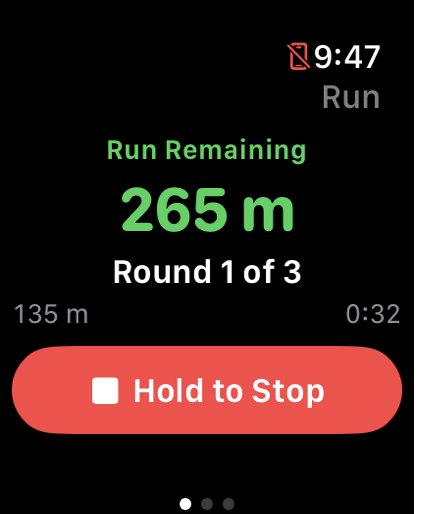
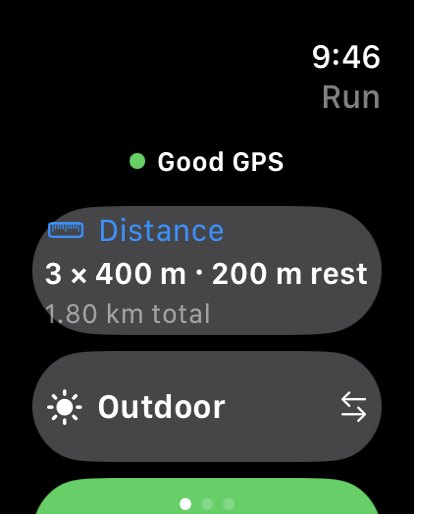
Run the whole session from your wrist. Settings, history and routes stay in sync between your iPhone and Apple Watch.
Indoors or out
Indoor runs
Choose Indoor for a treadmill or indoor track. Distance comes from your steps, and you can correct it afterwards with the treadmill’s reading.
Keeps your music
Voice cues mix with whatever you are listening to instead of stopping it.
Four languages
English, French, Spanish and German, voice cues included.
Questions at the start line
Do I need an Apple Watch?
No. The iPhone app runs a full session on its own. If you have an Apple Watch, you can run from your wrist instead, and your history syncs between the two.
What is the difference between Distance and Timed?
Distance sessions end each run and rest when you have covered the distance you set, like 400 m. Timed sessions switch on the clock instead, like 60 seconds on and 90 seconds off.
Can I listen to music while I train?
Yes. The “Run!” and “Rest!” cues play over your music and podcasts without stopping them.
Does it work on a treadmill?
Yes. Choose Indoor before you start. Distance is measured from your steps, and after the session you can enter the treadmill’s distance to correct it.
Can I see miles instead of kilometres?
Yes. Totals, speed and pace can show in kilometres or miles. Interval distances stay in metres, the way a track is marked.
Why does it ask for my location?
Outdoor sessions use GPS to measure how far you have run and to draw your route. Indoor sessions do not use your location.
Your runs stay with you
Distance Interval Trainer has no accounts and no servers. Your sessions, routes and settings are kept on your iPhone and Apple Watch.
- Location is used during outdoor sessions to measure distance and draw your route.
- Motion & Fitness is used for indoor sessions to count your steps.
- With your permission, workouts are saved to Apple Health.
Tell us what to build next
The app grows from runners’ requests. Questions, bugs or an idea for your next session, send them our way.
willcuccaro@gmail.com